+
.pk
USD
  • Account
  • Sign Up
  • Sign In
You have no items in your shopping cart.
ABOUT 1OUTLETS
Home Shopping Other FreeCAD Basics Tutorial: Part Design, Assemblies, and Drawings (For Windows)
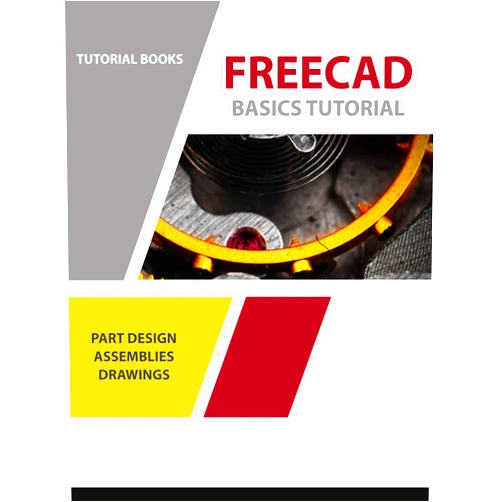
By Tutorial Books (Author) Format: Kindle Edition FreeCAD Basics Tutorial: Part Design, Assemblies, and Drawings (For Windows)

By Tutorial Books (Author) Format: Kindle Edition FreeCAD Basics Tutorial: Part Design, Assemblies, and Drawings (For Windows)

( 209 reviews ) See Reviews (1Outlets)

In stock *In Stock - Subject to stock availability at point of fulfilment. In the event whereby the item is out of stock or unable to provide the service, 1Outlets will cancel the order and issue a Full refund in-store credit to you. SKU : 0844f459c7fb6bdf8e0436afa9a92344

Qty:

**Free Shipping Worldwide available - Shipping time may vary depending on the address.

**Circumstances Reroute - This is a time of great stress and uncertainty. We are actively validating, routing and re-routing orders with our overseas merchants, logistic partners and airlines. Deliveries and supply may expect delays.

**In Stock (Low Inventory Warning) - Subject to stock availability at point of fulfilment. In the event whereby the item is out of stock or unable to provide the service, 1Outlets will cancel the order and issue a Full refund in-store credit to you (See Refunds).

**Report or Request Removal  - Any copyrighted, DMCA, inappropriate, offensive, prohibited, potentially Illegal Listings (Submit doc here).

Details

Free Yourself with FreeCAD!

FreeCAD Basics Tutorial: Part Design, Assemblies, and Drawings (For Windows) ignites your imagination! Craft incredible 3D models. Build intricate assemblies. Create stunning drawings. It's the perfect guide for young, aspiring engineers and designers to begin their journey into the exciting world of 3D modeling. Explore the power of FreeCAD and watch your creativity soar!

Main Features

  • Step-by-Step Instructions: The tutorial meticulously breaks down each process, ensuring a smooth and easy learning experience.
  • Visual Guides: Abundant screenshots and illustrations help you understand every stage of the design process.
  • Practical Examples: Learn through hands-on projects that encourage application of your new FreeCAD knowledge.
  • Comprehensive Coverage: Explore Part Design, Assemblies, and Drawings, providing a well-rounded introduction to FreeCAD.
  • Focus on Windows: Specifically tailored for Windows, ensuring compatibility and ease of use for the target audience.

Benefits

  • Boost Creativity: Spark your imagination and bring your own unique ideas to life in a digital space.
  • Develop Problem-Solving Skills: Tackle challenges and learn how to creatively find solutions through design.
  • Enhance Technical Proficiency: Build valuable 3D modeling skills that form a solid foundation.
  • Gain a Sense of Accomplishment: Experience the satisfaction of creating something tangible from your ideas.
  • Encourage Future STEM Career Interest: Introduce children to a fascinating world, preparing them for future adventures.

Unique Selling Points / Competitive Advantages

  • Child-Friendly Language: Written in a simple, clear style that is easy for young learners to grasp, building their confidence.
  • Focus on Practical Applications: Emphasizes real-world examples, allowing children to visualize the use of their 3D models.
  • Comprehensive, all-in-one Guide: Covers all essential aspects of FreeCAD, from basic to more complex techniques.
  • Fun and Engaging Projects: Activities that capture attention and encourage the development of the child’s project building curiosity.
  • Windows-Specific Instructions: Customized to suit the typical Windows user, reducing potential setup hurdles.

Usage Scenarios

  • Home Projects: Children can create their own toys, gadgets, and personalized objects at home.
  • School Assignments: Use FreeCAD to enhance design and engineering projects and demonstrate concepts visually.
  • Hobbyist Design: Experiment with designing model cars, buildings, or other unique objects.
  • Creative Exploration: Explore their artistic capabilities through the power of 3D design.
  • Collaborative Learning: Children can work together on projects, fostering teamwork and shared learning.

Customer Reviews / Testimonials

  • "My son loves FreeCAD now! This tutorial made it so easy for him to start designing his own toys. Excellent guide!" - Sarah, United Kingdom, 2023.
  • "This is exactly what I was looking for! FreeCAD felt daunting, but this book broke it down perfectly." - David, Canada, 2023.
  • "My daughter couldn’t stop herself after she downloaded FreeCAD, she loved it, and she's already created a car!" - Maria, Spain, 2024.
  • "The hands-on projects are fantastic! My kids had so much fun creating their first assembly." - Kenji, Japan, 2024.
  • "As a teacher, I recommend this book! Easy and informative for our school children!" - Aaliyah, India, 2023.

Frequently Asked Questions (with answers)

  • Is this tutorial suitable for beginners? Absolutely! The tutorial is designed for beginners with no prior experience in 3D modeling or FreeCAD.
  • Does this tutorial cover all versions of FreeCAD? The tutorial is designed to work with the latest stable version of FreeCAD software.
  • Do I need any special software to follow the tutorial? All you need is a computer with Windows and FreeCAD, which can be downloaded for free.
  • Are the examples challenging? The examples are progressively designed, starting with the very basics and slowly escalating in complexity.
  • How long will it take me to complete the tutorial? This depends on the person’s learning curve, but the material is designed to get the user going immediately.

BUY NOW

By Tutorial Books invites you to embrace the thrill of FreeCAD! Grab the FreeCAD Basics Tutorial: Part Design, Assemblies, and Drawings (For Windows) today and begin your thrilling 3D design journey!

(Beta: User Generated 2024.0007)
Specification
Terms & Warning