+

In stock *In Stock - Subject to stock availability at point of fulfilment. In the event whereby the item is out of stock or unable to provide the service, 1Outlets will cancel the order and issue a Full refund in-store credit to you. SKU : 6dccae5e68f339eaa5c850f696c72fd8
**Free Shipping Worldwide available - Shipping time may vary depending on the address.
**Circumstances Reroute - This is a time of great stress and uncertainty. We are actively validating, routing and re-routing orders with our overseas merchants, logistic partners and airlines. Deliveries and supply may expect delays.
**In Stock (Low Inventory Warning) - Subject to stock availability at point of fulfilment. In the event whereby the item is out of stock or unable to provide the service, 1Outlets will cancel the order and issue a Full refund in-store credit to you (See Refunds).
**Report or Request Removal - Any copyrighted, DMCA, inappropriate, offensive, prohibited, potentially Illegal Listings (Submit doc here).
Print. Connect. Conquer with HP!
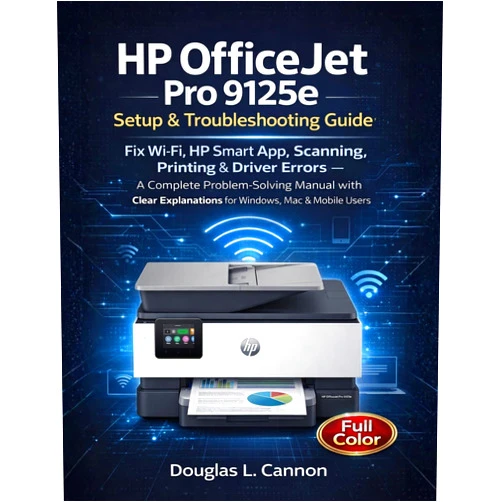
Douglas Cannon's HP OfficeJet Pro 9125e Setup & Troubleshooting Guide empowers you to become a printer problem-solving superhero! This complete manual demystifies your HP OfficeJet Pro 9125e, offering clear, easy-to-understand explanations. From conquering Wi-Fi connectivity to mastering the HP Smart app, scanning like a pro, and troubleshooting those pesky driver errors, this guide is your trusty sidekick in the quest for perfect printing.
Main Features
Comprehensive Troubleshooting: Dive deep into solutions for common printing problems, equipped with step-by-step instructions. Unravel the mysteries of your printer and conquer every error message.
Wi-Fi Connection Mastery: Establish a rock-solid Wi-Fi connection and stay connected and productive. Learn to navigate the wireless world and banish connectivity woes.
HP Smart App Guidance: Explore the power of the HP Smart app and access many features to make your printing experience smooth and enjoyable. Master the app and make printing from any device a breeze.
Scanning Solutions: Transform your documents into digital treasures with clear instructions on scanning. Learn how to scan documents of any kind and safeguard important files.
Driver Error Resolution: Put driver errors in the past, get your printer working with the latest drivers and configurations. Resolve driver issues and keep your printer running optimally.
Benefits
Become a Tech Wizard: Transform your understanding of your printer and impress your friends and family. Become the go-to person for all printing problems and shine with your knowledge.
Save Time and Frustration: Say goodbye to endless searching and wasted hours. Get help fast. Get quick answers and resolve printing problems fast.
Print with Confidence: Create the amazing printing experience you deserve. Enjoy a stress-free printing experience every time.
Master the HP Smart App: Navigate the app easily and optimize your print experience. Discover the features to help you create better prints.
Boost Productivity: Spend less time troubleshooting and more time creating. Focus on your projects and enjoy smooth, efficient printing.
Unique Selling Points / Competitive Advantages
Child-Friendly Language: Simplify complex technical jargon for anyone to understand. Clear explanations and visual aids make troubleshooting fun and accessible.
Complete Problem-Solving Manual: This guide handles everything. From setup to advanced troubleshooting, the ultimate resource for your printer.
Focus on the HP OfficeJet Pro 9125e: This guide is made for your printer. Everything is customized for this model.
Actionable Steps: Detailed, step-by-step instructions. Fix your printer today with easy, clear steps.
Empowering You: Takes away your fear of printing mistakes. Feel confident in solving any printing problems that come your way.
Usage Scenarios
Setting up your new printer: Quickly and easily get your HP OfficeJet Pro 9125e up and running. Perfect if you are just starting with your printer.
Troubleshooting Wi-Fi connection issues: Restore your connection quickly and easily. Solve the problem of poor wireless connectivity.
Mastering the HP Smart app: Discover all the features for your printing needs. Use the HP Smart app to make the most of your printer.
Scanning documents: Digitize important documents, photos, or anything else you need to archive. Create high-quality scans for your personal and professional use.
Resolving driver errors: Keep your printer running smoothly with the right drivers. Resolve the errors on your printer Customer Reviews / Testimonials
"This guide saved the day! My Wi-Fi wouldn't connect, but with the step-by-step instructions, I had my printer working in minutes!" - Sarah Miller, USA, 2023 She was so happy she can print anytime she wants.
"I always struggled with the HP Smart app, now I know how to use it! Wonderful explanation." - David Lee, Canada, 2023 Helped learn the HP Smart app and helped get him printing better.
"My printer kept giving me driver errors; this guide solved it immediately. I recommend it." - Maria Rodriguez, Spain, 2024 Happy she can start her work without any problem.
"Easy to understand and very helpful, especially with scanning." - Akira Tanaka, Japan, 2023 Makes scanning very easy.
"This guide made me feel like a tech expert. Highly recommended!" - Giovanni Rossi, Italy, 2024 He is now an expert with printers.
Frequently Asked Questions
Q: My printer won't connect to Wi-Fi. What should I do? A: The guide provides detailed, step-by-step instructions for troubleshooting and resolving Wi-Fi connection problems. Follow the instructions to get your printer back online.
Q: What is the HP Smart app, and how do I use it? A: The guide provides an overview of the HP Smart app, detailing its features and showing how to use them effectively for printing, scanning, and more.
Q: How can I fix driver errors? A: The guide offers clear steps for identifying and resolving driver errors, ensuring your printer operates correctly.
Q: How do I scan documents? A: The guide explains how to scan documents using your HP OfficeJet Pro 9125e with easy-to-follow instructions.
Q: Is this guide suitable for beginners? A: Absolutely! The guide is written in plain language, making it accessible for users of all experience levels.
BUY NOW
Stop letting printer problems ruin your day! With HP's guidance, triumph over tech troubles. Get your hands on this manual, and start printing like a pro!
(Beta: User Generated 2024.0007)